100% free & open source · now with Redmine 7 support Get it →
v1.0 Redmine 6 & 7 · free forever

Make Redmine beautiful in five minutes

Solomon is a free, open-source theme that turns the classic Redmine into a calm, modern workspace – glass header, card-style issue lists, colored status pills and 10 color variants. No plugins, no database changes.

  • ✓ GPL-2.0, free for everyone
  • ✓ Redmine 6.x and 7.x
  • ✓ English & Hungarian UI
projects.example.com
Redmine 7 with the default theme The same Redmine page with Solomon Default Redmine With Solomon
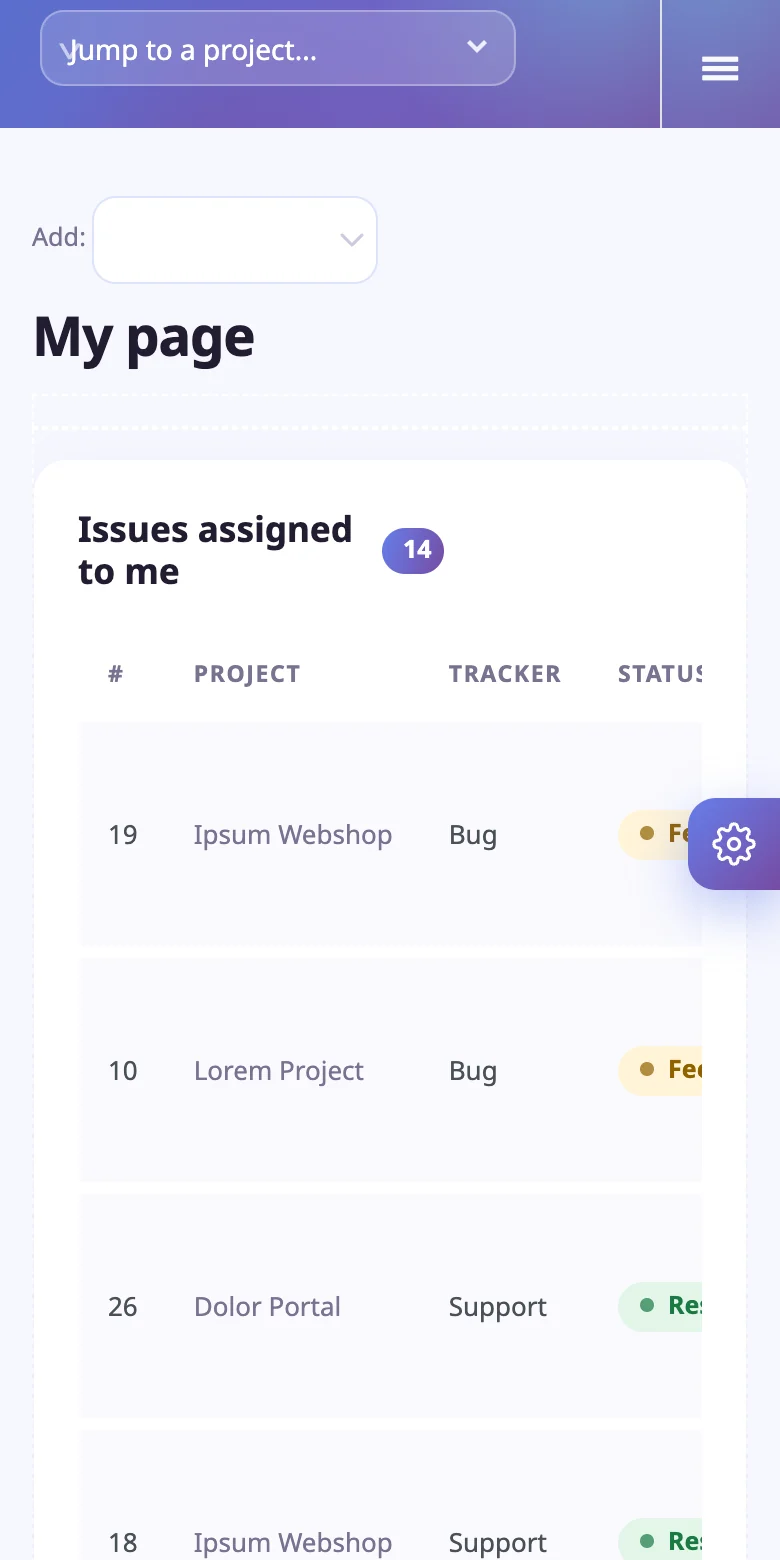
Solomon on mobile
6 & 7Redmine major versions
10color variants
0plugins or migrations
2languages (EN, HU)
€0forever, GPL licensed
Why Solomon

Everything you love about Redmine. Finally easy on the eyes.

Your data and workflow stay exactly where they are. Only the look changes.

01

Issue lists you actually want to read

Every issue is a rounded card row. Status and priority turn into clear colored pills, the subject carries the urgency, progress is a thin gradient bar. Click a row and it lights up – multi-select works like in stock Redmine.

  • Status & priority pills, recognised in English and Hungarian
  • Count badges on every block title
  • Strong selection highlight, readable hover states
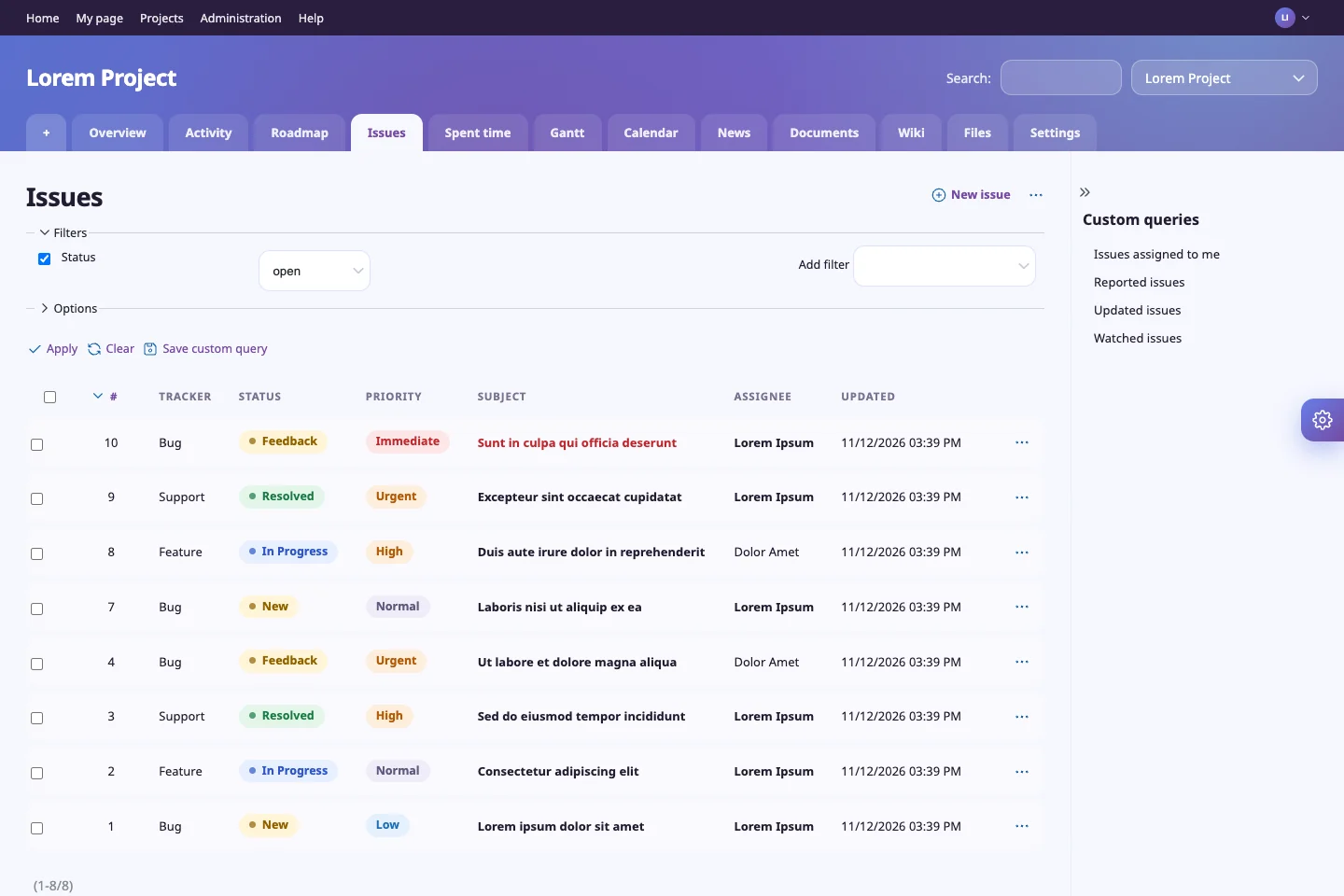
/projects/lorem/issues
Issue list with colored pills
02

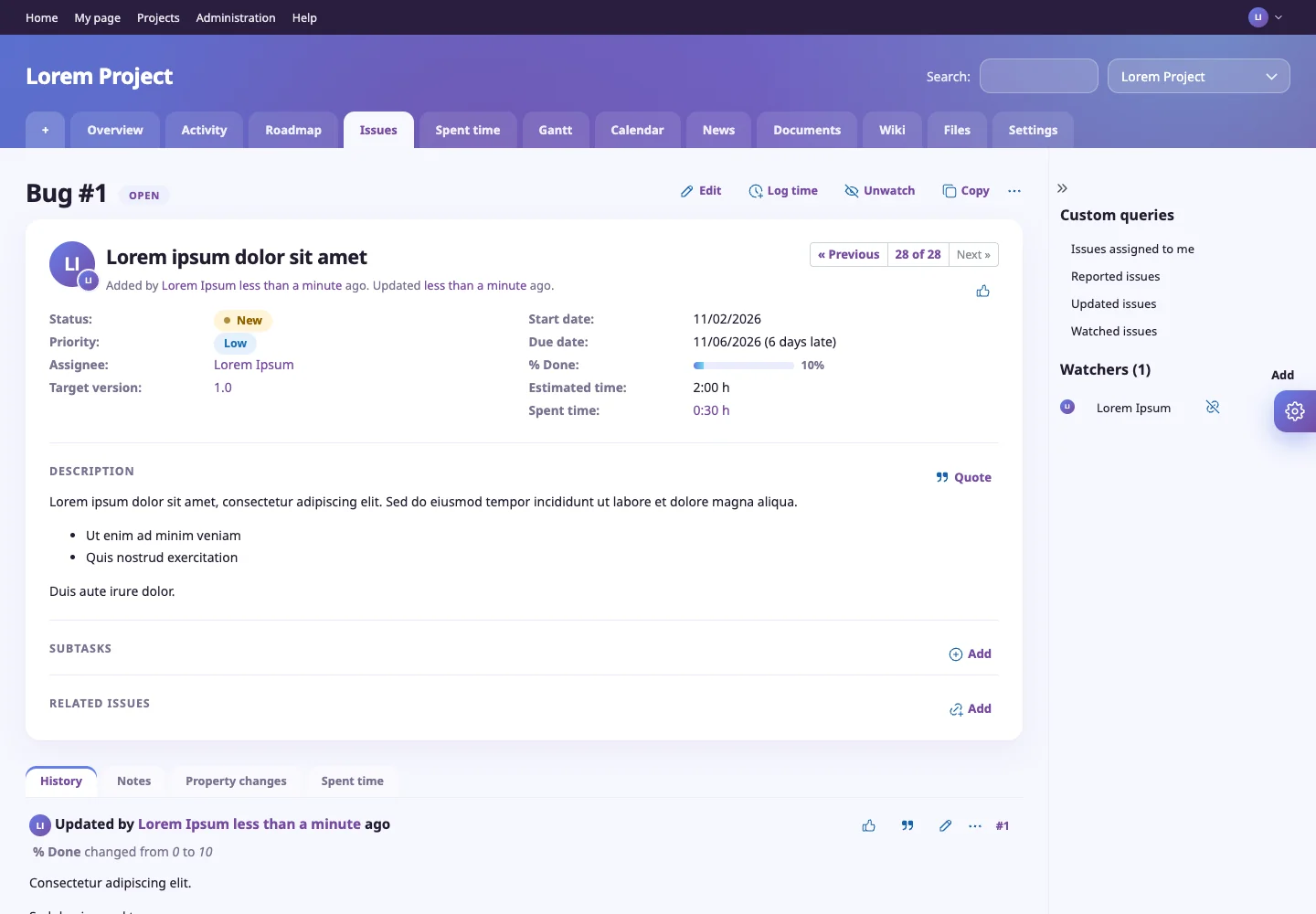
A calm, focused issue page

Details sit in a clean card, the history is easy to scan and the tabs feel like an app, not a 2008 form. On Redmine 7 the sticky issue header and reactions are styled too.

  • Redesigned details, subtasks and relations
  • Readable history with avatars
  • Works with Redmine 7's new journal markup
/issues/1
Issue details page
03

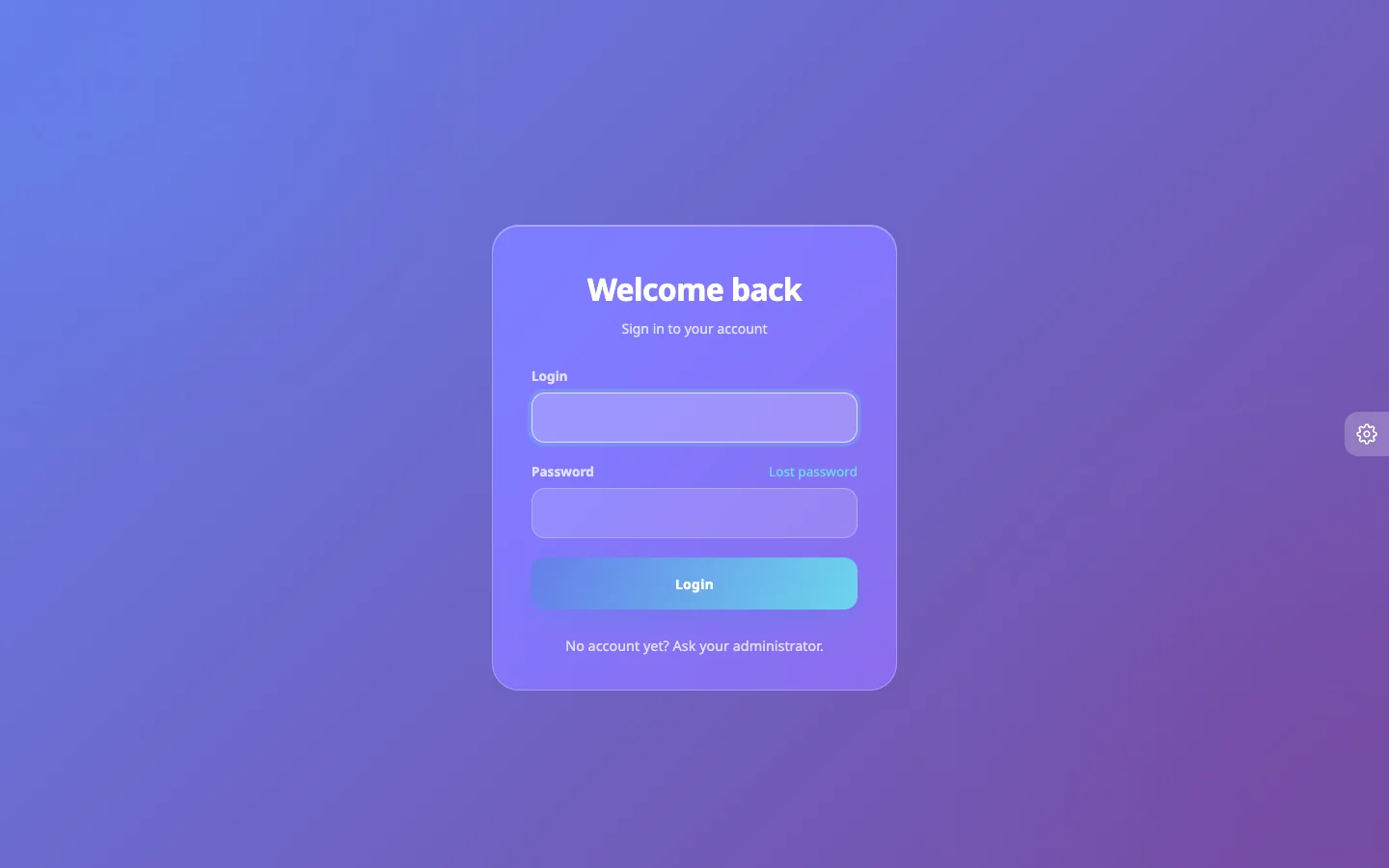
A login page with a little magic

A frosted glass card on a soft gradient that tilts gently with your mouse, a button with a light sweep and a loading state. First impressions matter – even for your project tool.

  • Glass card, 3D tilt (off on touch & reduced-motion)
  • Animated submit button
  • No external fonts, no tracking
/login
Glass login page
And more

Small details, big difference

10 color themes

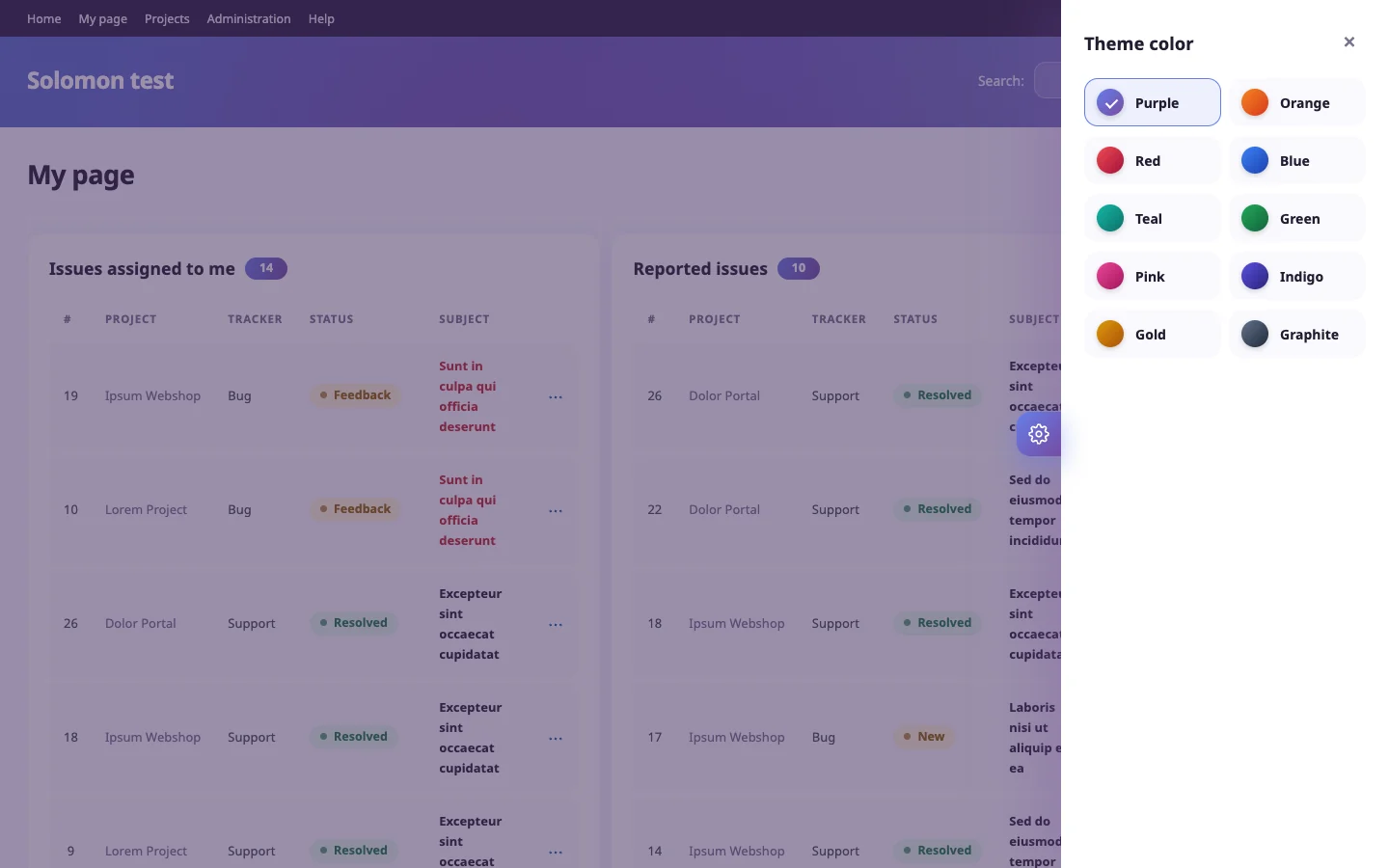
Purple, orange, red, blue, teal, green, pink, indigo, gold and graphite. Every user picks theirs with the gear on the right edge.

Glass header & tabs

A translucent header with a soft glow, tabs that sit on its bottom edge and a project jump dropdown with strong hover states.

Mobile friendly

Plays nicely with Redmine's responsive layout, so lists and menus stay usable on a phone.

Calendar & Gantt

The calendar has a purple "today" badge and no clashing yellow. Progress bars become slim gradients.

Safe by design

Pure CSS and a tiny vanilla JS file. It never touches your database or Redmine core, so rolling back is deleting a folder.

Free & open source

GPL-2.0-or-later, developed in the open. Use it for personal and commercial instances, fork it, improve it.

Screenshots

See it in action

Real Redmine pages with the Solomon theme, sample data only.

Make it yours

Pick a color. This page follows.

Solomon ships with ten palettes. Try them here – the same gear icon sits on the right edge of every Redmine page, and the choice is remembered per browser.

Purple
Theme color
Theme color picker
Install

Up and running in three steps

Pick the folder that matches your Redmine, drop it in, select it.

1

Download

Grab the latest release from GitHub. Use solomonRM6 for Redmine 6.x or solomonRM7 for 7.x.

2

Copy & precompile

Copy the folder to your Redmine themes/ directory, then precompile assets and restart.

3

Select the theme

Administration → Settings → Display → Theme → Solomon. Done.

bash
cp -r solomonRM7 /path/to/redmine/themes/solomon
cd /path/to/redmine
RAILS_ENV=production bundle exec rake assets:precompile
touch tmp/restart.txt   # Passenger; restart your app server otherwise
Your RedmineFolderStatus
Redmine 6.xsolomonRM6Used daily in production
Redmine 7.xsolomonRM7Tested on 7.0, feedback welcome
Pricing

It costs nothing. Really.

No license keys, no seat limits, no nagging. If Solomon saves your team a few headaches, a GitHub star is the best thank-you.

Star on GitHub
  • Unlimited users and projects
  • Personal & commercial use
  • Both Redmine 6 and 7 builds
  • All updates via GitHub releases
  • Community support through GitHub issues
FAQ

Questions, answered

Is Solomon really free?

Yes. It is released under GPL-2.0-or-later. You can use it on personal and commercial Redmine instances at no cost.

Does it change my data or Redmine core?

No. A theme is only a folder with a stylesheet and one small JavaScript file. Remove the folder and switch the theme back to see stock Redmine again.

Which Redmine versions are supported?

Redmine 6.x and 7.x, each with its own build. They look the same; only the parts that follow each version's own markup differ.

Will it work with my plugins?

Most plugins use standard Redmine markup and work fine. Plugins with fully custom layouts may need small tweaks – open an issue and we will have a look.

Which languages are supported?

The few texts the theme adds appear in Hungarian on a Hungarian Redmine and in English everywhere else. Redmine's own translation is untouched.

Can I change the colors?

Yes: ten built-in palettes, selectable by every user. All colors derive from a few CSS variables, so adding your own brand color is a one-liner.

Give your Redmine the look it deserves.

Free, open source and ready in five minutes.

Download for free